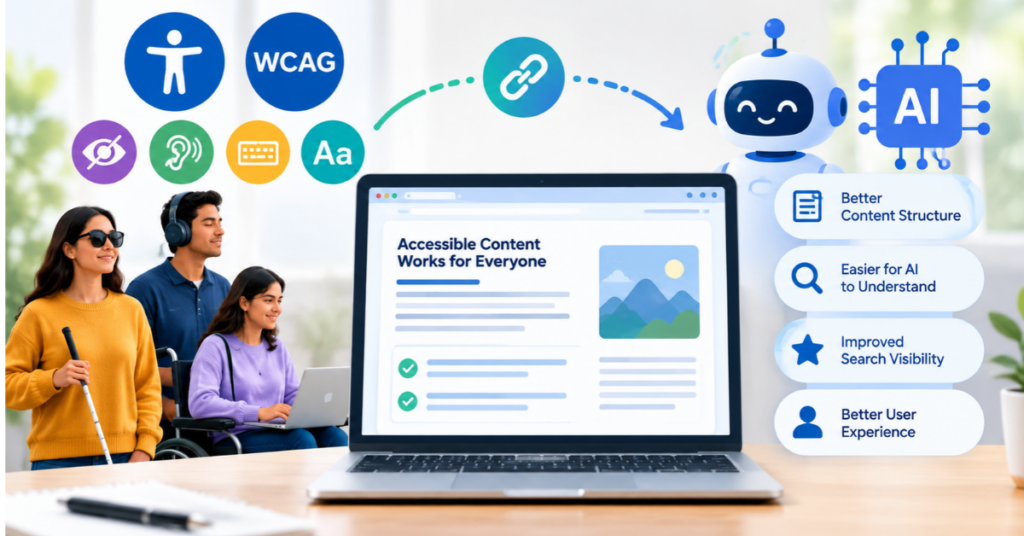
Accessibility was treated as a compliance checkbox for years. Today it has a second, equally important benefit. The same practices that help people with disabilities also help artificial intelligence systems read, interpret and summarize your pages. Large language models benefit as much from a clean structure, clear language, and meaningful markup as screen readers do.
This is how the Web Content Accessibility Guidelines WCAG relate to AI readability and what you can do about it.
The Four WCAG Principles
WCAG is built on 4 principles, remembered as POUR. Content must be Perceivable (for users to see or hear it). Must be Operable (Works with Keyboard & Assistive Devices). It has to be Understandable, predictable behavior, clear language. And it needs to be Robust, so it works across browsers, tools and future technologies.
Why Machine Learning Systems Prefer Accessible Pages
Your design is invisible to AI crawlers and answer engines. They read code, text, and structure. If your headings are random, your images are missing descriptions, and your key material is hidden in scripts or graphics; a model has little to work with. Accessible markups eliminate that uncertainty.
Semantic HTML A professional website designing company in Indore that builds with semantic HTML right from the beginning provides the client with a website that is easier for assistive technology and machine readers to understand without having to create separate versions.
Useful solutions that benefit both audiences
- One H1 per page and a logical hierarchy of H2 to H4.
- Write a descriptive alt text that explains what an image is and why it’s important.
- Use real HTML tags like `nav`, `main`, `button` and `table` instead of styled `div`s.
- Label all form fields and give error messages in plain language.
- Provide video and audio captions, and transcripts.
- Use meaningful link text, not phrases such as click here.
Accessibility should be in the original brief. Choosing a website designing company in Indore that documents its WCAG approach gives you evidence that headings, forms and media are designed to keep real users in mind.
Color, Contrast & Typography
Text must have a contrast ratio of at least 4.5 to 1 against its background, or 3 to 1 for large text. Don’t use color alone to convey meaning, eg don’t just mark required fields in red. Use readable fonts, allow text to be resized up to 200 percent and keep line length comfortable. These choices help low vision users and also help maintain layout consistency for automated parsing.
Keyboard Navigation & Focus
All interactive elements should be keyboard navigable (via Tab) and have a visible focus outline. Menus, modals, and sliders must be usable without a mouse. Add a skip to content link to allow keyboard users to skip repeated navigation. Unplug your mouse for ten minutes and you’ll see the problems fast.
Good templates make it easier to work later. Modern web design services in Indore should provide component libraries where buttons, menus and cards are already ready to go, so that every new page inherits good practice automatically.
Testing & Maintenance
Use automated tools such as Lighthouse and ax in combination with manual testing using a screen reader such as NVDA. Automated scans will only catch some of the problems, so a human review is still necessary. Re-test when you redesign a page or add new components.
When comparing web design service providers in Indore, ask if they do accessibility testing as part of their process. It’s far cheaper to build it in from day one than to retrofit it later. And it gets your site ready for the future, where AI will read the web alongside people.
Tags:
Founder of Neha SEO Solutions, Indore. Neha has handled SEO and digital marketing projects for clients across India, the USA, UK, Canada, Australia and New Zealand.
About Neha SEO Solutions →